
Course Overview
In this hands-on course, you will dive into the core technologies shaping the future: Virtual Reality (VR), Augmented Reality (AR), and Mixed Reality (MR) – collectively called eXtended Reality (XR). Students will gain hands-on experience with cutting-edge hardware and software tools while examining the technical, perceptual, and experiential foundations of immersive environments. We will traverse a landscape that includes designing and interacting with 3D virtual worlds, spatial computing, and real-world applications spanning science, education, art, and industry. Whether through a headset or a handheld device, you’ll learn to bridge physical and digital worlds, crafting experiences that inform, inspire, and transform. This isn't just about learning to code, it's about becoming an architect of perception and designing the next frontier of how we play, work, and connect.
Course Learning Objectives
Describe the theoretical foundations and historical evolution of VR, AR, and MR technologies.
Implement interactive immersive applications using modern development frameworks (e.g., Unity, Google Cardboard, WebXR, ARCore/ARKit).
Compare the capabilities and limitations of head-mounted displays, handheld devices, and large-scale immersive systems.
Design effective 3D user interfaces that support natural interaction and spatial awareness.
Evaluate immersive experiences critically for usability, accessibility, and ethical implications.
Explore EVL’s immersive visualization facility.
Instructor Information
Webpage: saeedboorboor.github.io
Email: boorboor [AT] uic.edu
Office Hours: Tues & Thurs 4:00 - 5:00 p.m. (CDRLC 5432)
When: 2:00 - 3:15 p.m.
Where: CDRLC 1405 850 W Taylor St
Course material: this page and Canvas
Course Content Resources
There is no required textbook, but the course content is inspired by the following books:

Virtual Reality
Steven M. LaValle · Cambridge University Press, 2017
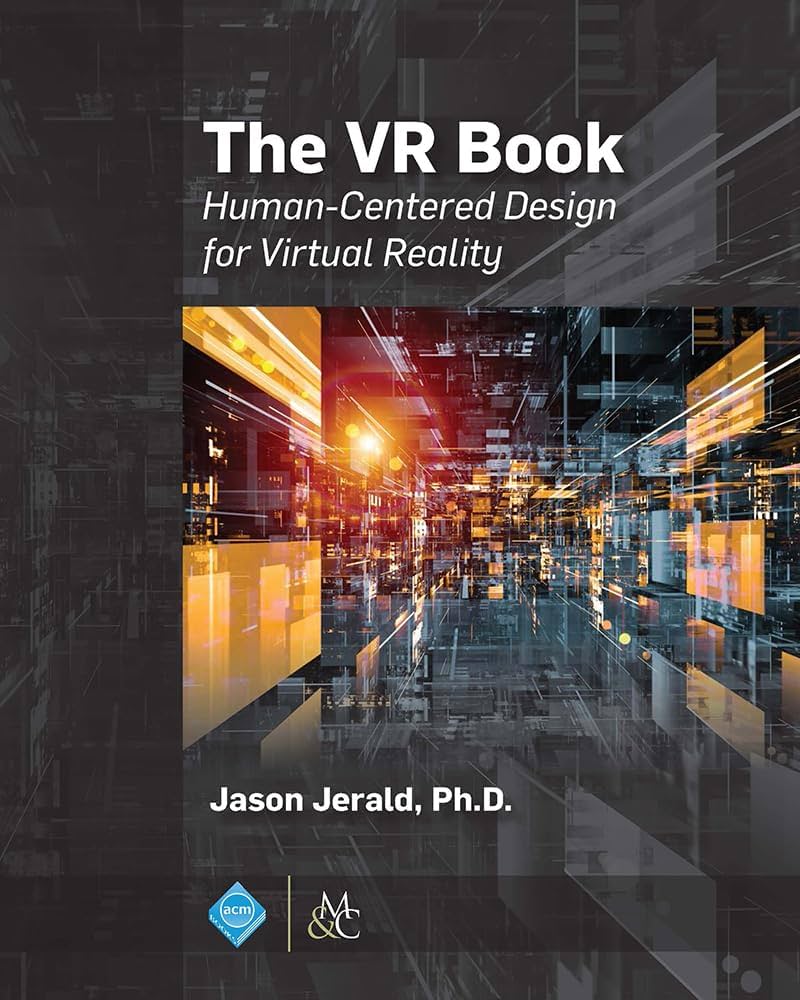
The VR Book: Human-Centered Design for Virtual Reality
Jason Jerald · Association for Computing Machinery, 2015 [recommended for some lectures]
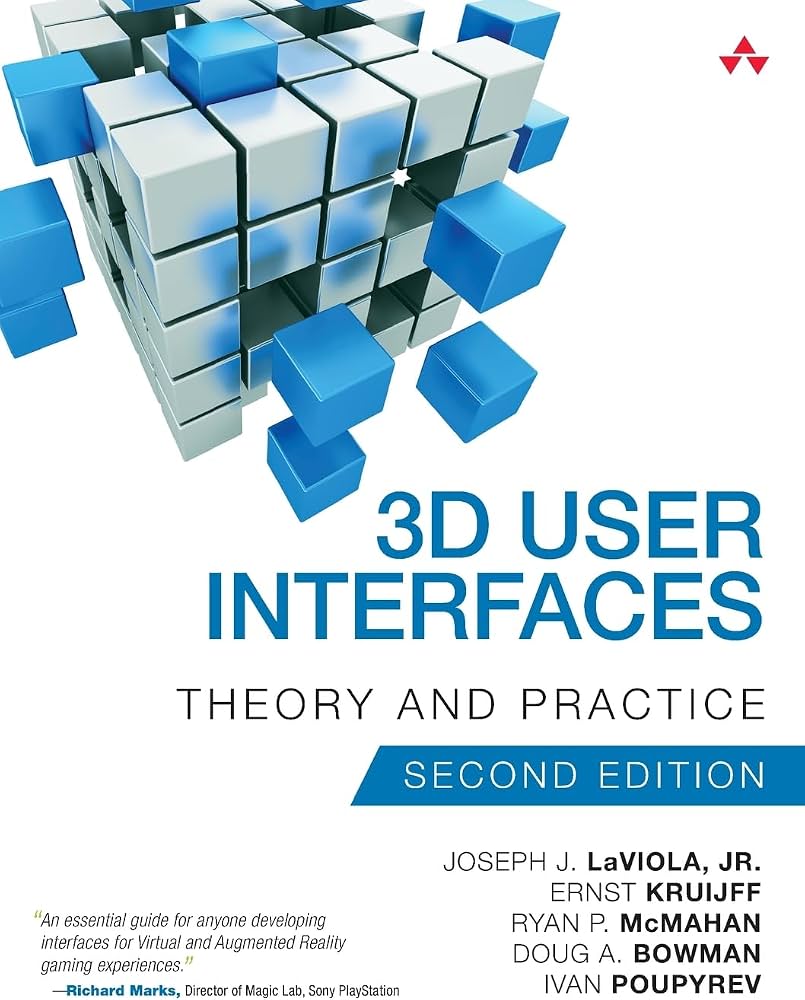
3D User Interfaces: Theory and Practice, 2nd Edition
J. LaViola Jr., E. Kruijff, R. McMahan, D. Bowman, and I. Poupyrev · Addison-Wesley, 2017
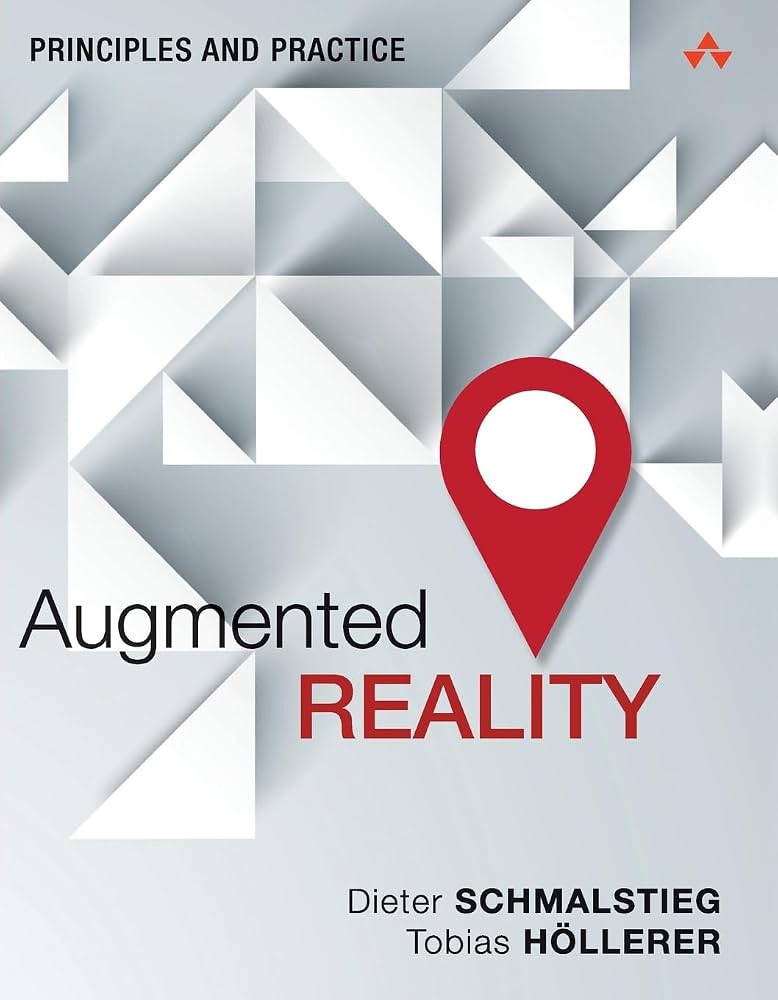
Augmented Reality: Principles and Practice
D. Schmalstieg and T. Höllerer · Addison-Wesley, 2016
Academic publications from IEEE VIS, IEEE VR, IEEE ISMAR, IEEE TVCG, ACM UIST, ACM CHI, ACM IUI, and other related conference and journal publications.
Additional reading materials will be announced online and in class.
Syllabus and Schedule
| Date | Topic | Readings |
|---|---|---|
| Aug 25 | Introduction to AR/VR/MR | SL Ch. 1-2 |
| Aug 27 | Sandbox Information Session / Studio: Unity Tutorial | |
| Sept 1 | Immersion, Presence, and Reality | VR Ch. 4 |
| Sept 3 | Geometry & Transformations | SL Ch. 3.1-3.3 |
| Sept 8 | Viewing and Projections | SL Ch. 3.4-3.5 |
| Sept 10 | Studio: Mesh, Geometry, and Transformations | |
| Sept 15 | Interaction and 3D User Interfaces: Introduction | SL Ch. 10.1, 10.3-10.5 (JL Ch. 6-9, VR Ch. 25-26) |
| Sept 17 | Interaction and 3DUI: Selection & Manipulation | SL Ch. 10.1, 10.3-10.5 (JL Ch. 6-9) |
| Sept 22 | Interaction and 3D User Interfaces: Navigation | SL Ch. 10.2 (JL Ch. 6-9, DS Ch. 8) |
| Sept 24 | Studio: 3D Interactions | |
| Sept 29 | Foundations of Augmented Reality | (DS 1-2) |
| Oct 1 | Tracking and Mapping | SL Ch. 9 |
| Oct 6 | Studio: AR and Tracking | |
| Oct 8 | Project Proposal Presentation | |
| Oct 13 | Light and Optics | SL Ch. 4.1-4.4 |
| Oct 15 | Physiology of Human Vision | SL Ch. 5, 6.3 |
| Oct 20 | Visual Perception: Motion | SL Ch. 6.1 |
| Oct 22 | Studio: Apple Vision Pro @ Sandbox | |
| Oct 27 | Visual Perception: Depth | SL Ch. 6.2 |
| Oct 29 | Project Milestone I Presentation | |
| Nov 3 | EXAM | |
| Nov 5 | Evaluating XR Systems and Experiences | SL Ch. 12 |
| Nov 10 | Project Tutorial Session | |
| Nov 12 | Project Tutorial Session | |
| Nov 17 | Emerging XR Technologies | |
| Nov 19 | Project Milestone II Presentation | |
| Nov 24 | Studio: Immersive Display Facilities | |
| Nov 26 | THANKSGIVING BREAK – NO CLASS | |
| Dec 1 | Project Milestone III Presentation | |
| Dec 3 | Project Exhibition |
*SL = VIRTUAL REALITY by Steve LaValle.; JL = Joseph LaViola et al., 3D User Interfaces: Theory and Practice, 2nd Edition (recommended reading); DS = Dieter Schmalstieg, Augmented Reality: Principles and Practice (recommended readings); VR = The VR Book: Human-Centered Design for Virtual Reality
Studio Sessions
Studio sessions provide hands-on opportunities to apply and further develop the concepts introduced during lectures. Sessions will typically include demonstrations, guided tutorials, implementation exercises, and practical work with XR hardware and software.
Students are expected to bring the required equipment and follow the demonstrated tutorials during class. Some sessions will include required tasks or checkpoints that must be completed and presented or submitted for grading during the studio session. Completion of these in-class activities is required to receive full credit.
Students who anticipate equipment or software-access problems should contact the instructor in advance.
Course Project
The course project accounts for 40% of the final grade and is assessed across the following deliverables:
Project Proposal
Project Milestone I
Project Milestone II
Project Milestone III
Project Exhibition
Project Documentation
Two Project Tutorial Sessions are scheduled during class time on Nov 10 and Nov 12 to support your project work.
Hardware & Software Requirements
Hardware
To enhance the learning experience and to successfully participate in the studio sessions, students will need access to the following hardware:

A GPU-enabled computer
A Windows or macOS laptop capable of running the required version of Unity, with a four-core 64-bit processor, 16 GB of RAM, approximately 15 GB of available storage, and a compatible NVIDIA, AMD, or Apple GPU.
A smartphone
A programmable smartphone or tablet with cameras that meets the following minimum specifications: Android 11+ or iPhone 11 or newer, a 1080p or better display, a rear camera, ~5 GB of available storage, and that can be connected to your system using a USB-C or Lightning data cable.
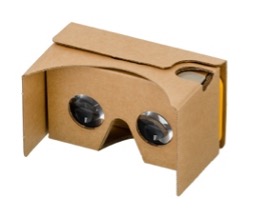
A headset
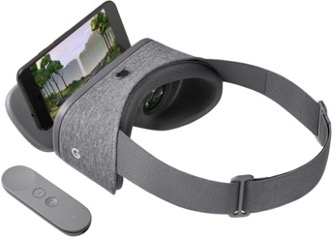
A basic headset that will hold your smartphone (or tablet), such as Google Cardboard (available on Amazon or other online stores), Google Daydream VR, or sturdier headsets with phone inserts. You may also bring your own stand-alone VR headset, such as the Meta Quest, Apple Vision Pro, or HTC VIVE. However, the tutorials in the studio sessions will focus on smartphone deployment, and support for application deployment on the specialized headsets may not be available.
A VR gamepad controller
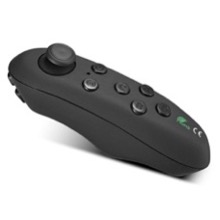
Any Bluetooth controller that connects with your phone. Please ensure phone compatibility before purchasing. The controller should have at least one navigation control (arrows or joystick) and four action buttons.
Please note that UIC has short-term equipment lending options for laptops.
Please consult the course instructor as early in the course as possible if you are unable to purchase hardware equipment, so that a loaner or an alternative may be arranged.
Software

The software environment for the studio sessions and the course project is Unity. Unity is a cross-platform game engine developed by Unity Technologies; as of today, it supports more than 19 platforms. Unity can be used to create both three-dimensional (3D) and two-dimensional (2D) games and virtual reality (VR) environments, as well as simulations or emulations for its many platforms, including hand-held, head-worn, stationary displays, and desktops. The basic version of Unity is free and sufficient for this course.
For augmented reality (AR), where the surrounding real world is overlaid with computer-generated imagery, Unity’s AR Foundation will be used. It is a framework for AR application development in various mobile environments. It uses computer vision technology to recognize and track in real-time 3D simple objects and image targets, enabling the registration of the real world and virtual objects. AR Foundation enables the development of applications in both iOS and Android and is easily portable to both platforms.
Grading
Project
- Proposal: 1%
- Milestones: 10% × 3
- Exhibition: 5%
- Documentation: 4%
Studio Sessions
- 5 total studio sessions graded
- Attendance: 2% × 5
- Deliverables: 4% × 5
Exam
- Nov 3
Class Participation
Letter Grade Scale
Letter grades will be based on a straight scale using the thresholds above. However, strong attendance and participation may be taken into account in borderline situations, allowing a slightly lower percentage (e.g., 74.75%) to be rounded up.
You can use this straight grading scale as an indicator of your minimum grade in the course at any time during the course. You should keep track of your own points so that at any time during the semester you may calculate your minimum grade based on the total number of points possible at that particular time. If and when, for any reason, you have concerns about your grade in the course, please see me during my office hours so that we can discuss study techniques or alternative strategies to help you.
You have two weeks after each grade is released to raise any concerns or questions regarding their marks. Beyond this two-week window, no further inquiries or revisions to the grade will be considered.
Course Policies
The student is responsible for all the material mentioned in class (either by the instructor or during discussions) and all the assigned readings announced in class and/or listed online. Therefore, students are expected to attend every class. If you miss one class, please talk to those who attended to catch up with the course material. Note that additions or changes may be announced from time to time in class. All the course material will be on the course website and on Canvas, as will be announced from time to time. Class announcements will be communicated via email and found on the course webpage.
Academic Integrity
UIC is an academic community committed to providing an environment in which research, learning, and scholarship can flourish and in which all endeavors are guided by academic and professional integrity. In this community, all members, including faculty, administrators, staff, and students alike, share the responsibility to uphold the highest standards of academic honesty and quality of academic work so that such a collegial and productive environment exists.
As a student and member of the UIC community, you are expected to adhere to the Community Standards of integrity, accountability, and respect in all of your academic endeavors. When accusations of academic dishonesty occur, the Office of the Dean of Students investigates and adjudicates suspected violations of this student code. Unacceptable behavior includes cheating, unauthorized collaboration, fabrication or falsification, plagiarism, multiple submissions without instructor permission, using unauthorized study aids, coercion regarding grading or evaluation of coursework, and facilitating academic misconduct. Please review the UIC Student Disciplinary Policy for additional information about the process by which instances of academic misconduct are handled towards the goal of developing responsible student behavior.
By submitting your artifacts for grading, you acknowledge these terms, you declare that your work is solely your own, and you promise that, unless authorized by the instructor or proctor, you have not communicated with anyone in any way during an exam or other online assessment. Let's embrace what it means to be a UIC community member and together be committed to the values of integrity.
Our class will follow the CS Code of Conduct. If you are not adhering to our course norms, a case of behavior misconduct will be submitted to the Dean of Students and to the Director of Undergraduate Studies in the department of Computer Science. If you are not adhering to our course norms, you will not get full credit for your work in this class. For extreme cases of violating the course norms, credit for the course will not be given.
All the work you submit must be your own; you should not use paraphrasing software (like QuillBot), or AI software for writing (like ChatGPT), or any AI tool for code generation to solve assignments – unless explicitly allowed to do so. If in doubt about a specific tool, ask.
Inclusive Learning Environment
UIC values diversity and inclusion. Regardless of age, disability, ethnicity, race, gender, gender identity, sexual orientation, socioeconomic status, geographic background, religion, political ideology, language, or culture, we expect all members of this class to contribute to a respectful, welcoming, and inclusive environment for every other member of our class. If there are aspects of the instruction or design of this course that result in barriers to your inclusion, engagement, accurate assessment or achievement, please notify me as soon as possible.
Disability Accommodation
UIC is committed to full inclusion and participation of people with disabilities in all aspects of university life. If you face or anticipate disability-related barriers while at UIC, please connect with the Disability Resource Center (DRC), via email at drc@uic.edu, or call (312) 413-2183 to create a plan for reasonable accommodations. In order to receive accommodations, you will need to disclose the disability to the DRC, complete an interactive registration process with the DRC, and provide me with a Letter of Accommodation (LOA). Upon receipt of a LOA, I will gladly work with you and the DRC to implement approved accommodations.
Religious Holidays
I will make every effort to avoid scheduling exams or requiring student projects be submitted on religious holidays. If you wish to observe your religious holidays, please notify me by the tenth day of the semester of the date when you will be absent unless the religious holiday is observed on or before the tenth day of the semester. In such cases, please notify me at least five days in advance of the date when you will be absent. I will make every reasonable effort to honor your request and not penalize you for missing the class. If an examination or project is due during your absence, you will be given an exam or assignment equivalent to the one completed by those students in attendance. Students may appeal through campus grievance procedures for religious accommodations.
Mental and Emotional Wellness
Counseling Services are available for all UIC students. You may seek free and confidential services from the Counseling Center at counseling.uic.edu. The Counseling Center is located in the Student Services Building; you may contact them at (312) 996-3490 during normal business hours (M-F, 9 am -5 pm). If calling after hours, press 2 to be connected to a crisis counselor. In addition to offering counseling services, the Counseling Center also operates the InTouch Crisis Hotline from 6:00 p.m.-10:30 p.m. They offer support and referrals to callers, as well as telephone crisis interventions; please call (312) 996-5535.
Campus Advocacy Network
The Campus Advocacy Network provides information and offers resources to all UIC students, faculty, and staff. Under the Title IX law you have the right to an education that is free from any form of gender-based violence and discrimination. Crimes of sexual assault, domestic violence, sexual harassment, and stalking are against the law and can be prevented. For more information or for confidential victim-services and advocacy, contact UIC's Campus Advocacy Network at 312-413-1025 or visit can.uic.edu. To make a report to UIC's Title IX office, email TitleIX@uic.edu or call (312) 996-5657.